Apple TV digital signage.
POMP is a digital signage app for Apple TV. Install it from the App Store, pair it with the code it shows, and your TV plays the playlist you build in the POMP dashboard: menus, notices, videos, live weather, calendars and designs from our free template library.
Why use Apple TV for digital signage
An Apple TV is small, quiet, reliable and easy to buy almost anywhere, which makes it one of the best value signage players around. Plug it into any TV with HDMI and you have a managed digital sign that you can update from anywhere.
- Reliable hardware that runs for years, with automatic tvOS updates from Apple
- Landscape or portrait, set per screen from the dashboard, so a TV can hang on its side
- Photos and videos are cached on the Apple TV, so playback is smooth and keeps going through internet dropouts
- Deploy fleets with Jamf, Microsoft Intune, Mosyle or any MDM that supports Managed App Configuration
- Lock the Apple TV to POMP with Single App Mode, so it opens POMP on power-up and stays there
- Synced playback and video walls across several Apple TVs, with no video wall controller
- Remote screenshots, sleep schedules and offline alerts from the dashboard
- Select buttons on a design with the Siri Remote for simple interactive screens
What you need
- Apple TV HD or any Apple TV 4K, running tvOS 15.1 or later
- Any TV or monitor with an HDMI input
- Wi-Fi or Ethernet. Ethernet is the most reliable choice for screens that run all day.
- A free POMP account. The Free plan covers one screen.
How to set up digital signage on an Apple TV
- 1Install POMP from the App StoreOn the Apple TV, open the App Store, search for POMP Digital Signage and install it. It's free to download.
- 2Pair it with the code on screenThe player shows a short pairing code and a QR code. In the POMP dashboard, open Devices, choose Pair device and type the code, or scan the QR code with your phone.
- 3Name the screen and pick a playlistGive the screen a name, choose a playlist and set landscape or portrait. The screen starts playing within seconds and updates whenever you change the playlist.
- 4Lock it to POMP (optional)For a public screen, turn on Single App Mode with Apple Configurator or your MDM so the Apple TV always opens POMP and can't be switched to another app.Single App Mode guide
Portrait signage on Apple TV
Apple TV itself only outputs landscape, but POMP draws portrait screens rotated, so you can mount a TV on its side and set that screen to portrait in the dashboard. Portrait suits menus, posters, wayfinding and window displays, and many of our templates are designed for it.
Keeping an Apple TV on POMP all day
POMP keeps the Apple TV awake while it's playing, so the screensaver doesn't take over. To make sure the Apple TV opens POMP after a power cut and can't be changed by passers-by, put it in Single App Mode. Our step-by-step guide covers Apple Configurator and MDM.
If you'd rather the screens go dark overnight, set a sleep schedule per screen in the dashboard.
Popular templates for Apple TV
Free on every plan. Change the words, photos and colours, then play them on your screens.
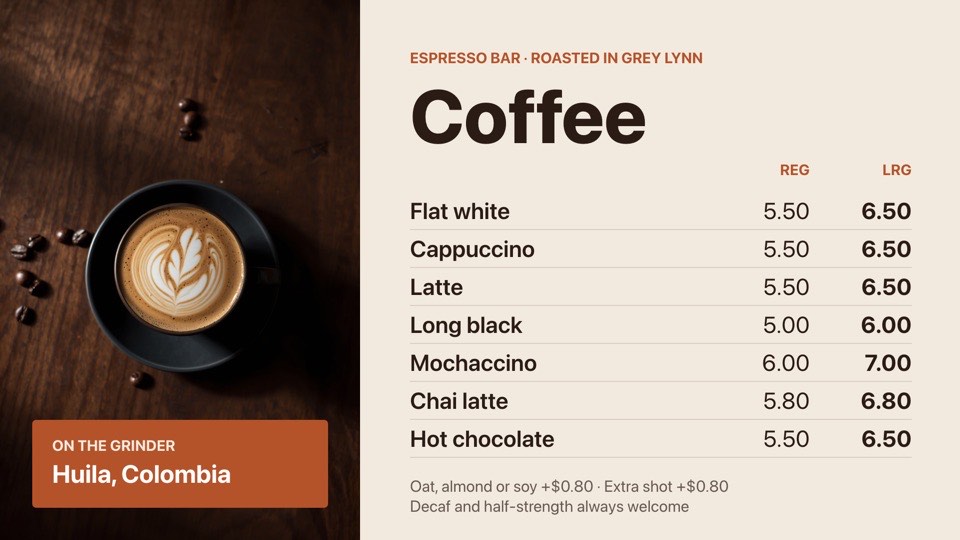 Coffee menuEspresso drinks in two sizes with a hero latte photoFreeCaféslandscape
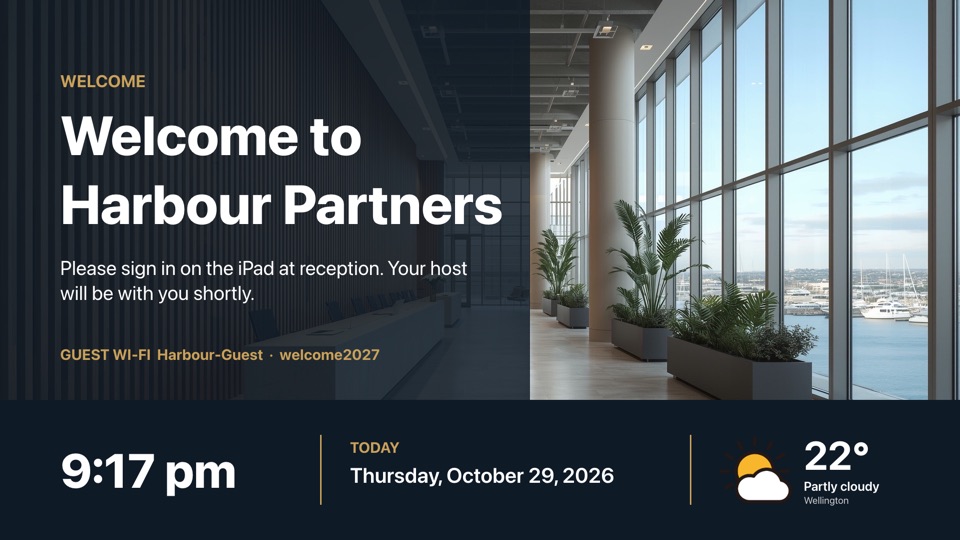 Reception welcomeVisitor welcome over a lobby photo, with time, date and weatherFreeOfficeslandscape
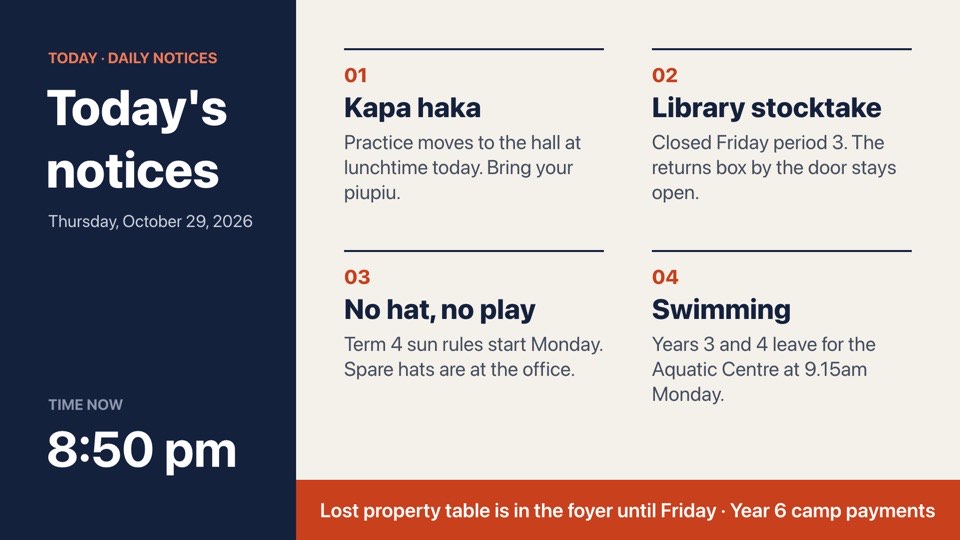 Daily noticesToday's notices in four numbered blocks with a scrolling tickerFreeSchoolslandscape
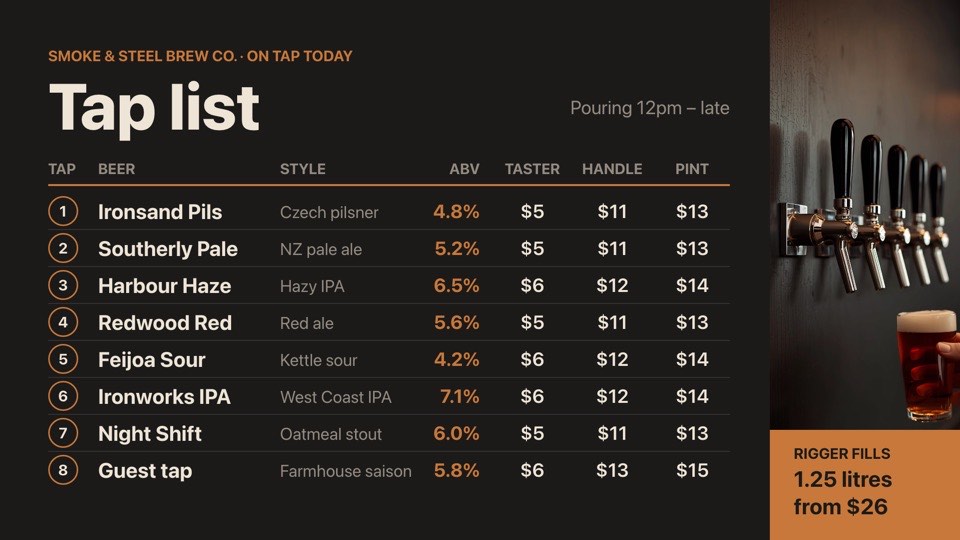 Brew bar tap listEight taps with style, ABV and taster, handle and pint pricesFreeBarslandscape
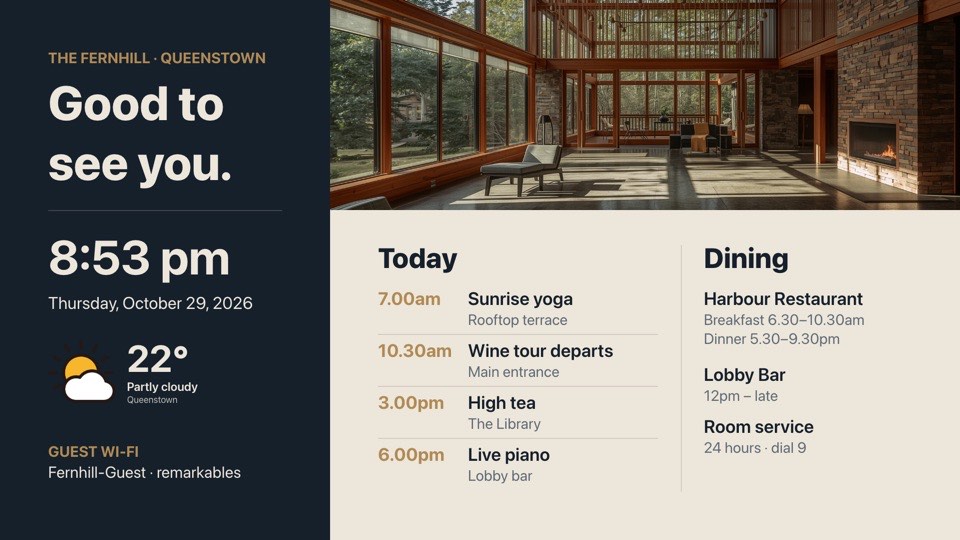 Lobby welcomeWelcome with time, weather, today's events and dining hoursFreeHotelslandscape
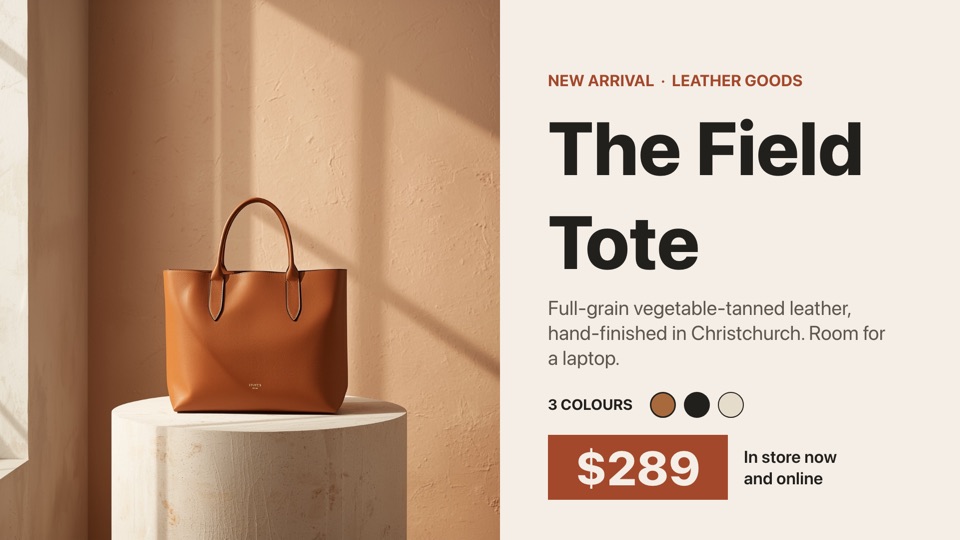 New arrival spotlightOne hero product with name, story, colours and priceFreeRetaillandscape
Apple TV signage by sector
- SchoolsDaily notices, KAMAR notices and events in reception and staffrooms.Schools templates
- CafésCoffee menus and cabinet specials on a TV behind the counter.Cafés templates
- OfficesReception welcomes, team news and KPI dashboards.Offices templates
- BarsTap lists, happy hour and live sport nights.Bars templates
- HotelsLobby welcomes, guest Wi-Fi and local weather.Hotels templates
- RetailWindow promotions and new arrivals that change by time of day.Retail templates
Apple TV signage questions
Does POMP work on the Apple TV 4K and Apple TV HD?
Yes. POMP runs on the Apple TV HD and every Apple TV 4K model, as long as it's running tvOS 15.1 or later. Older Apple TVs without the App Store (third generation and earlier) can't install apps, so they can't run POMP.
Can an Apple TV show portrait signage?
Yes. Mount the TV on its side and set the screen to portrait in the POMP dashboard. POMP draws the content rotated, so it reads the right way up. You can mix portrait and landscape screens in the same account.
How do I stop the Apple TV going to sleep or leaving the app?
POMP keeps the Apple TV awake while it plays. To make it open POMP on power-up and stop anyone switching apps, turn on Single App Mode with Apple Configurator or your MDM. Our Single App Mode guide at pompsignage.com/single-app-mode walks through it.
How do I deploy POMP to many Apple TVs?
Push the app with any MDM, such as Jamf, Microsoft Intune or Mosyle, and add your provision key in Managed App Configuration. Each Apple TV enrols itself with the right name and playlist, with no codes to type. See pompsignage.com/mass-deployment.
Does it keep playing if the internet drops?
Yes. The Apple TV stores your images and videos locally and keeps running the last playlist it received. Live content such as weather or calendars updates again when the connection returns. Paid plans can email you if a screen stays offline.
Is the POMP Apple TV app free?
Yes. The app is free on the App Store and the POMP Free plan runs one screen free forever, with no credit card. Paid plans add more screens, playlists and premium integrations.
Can I sync several Apple TVs or build a video wall?
Yes. Turn on sync and every Apple TV on a playlist changes slide at the same moment. For a video wall, give each screen its position in a grid of up to 6 by 6 TVs.
Other ways to run POMP
- Android TV digital signageGoogle Play, including TV sticks and boxes
- iPad digital signageSame App Store app as Apple TV
- Web browser digital signageplayer.pompsignage.com, nothing to install
Coming soon: native apps for Samsung smart TVs (Tizen), LG smart TVs (webOS) and Amazon Fire TV.
Put your first screen live in minutes.
The Free plan is free forever. No card, no contract, no special hardware.